 Cobblemon Conquest


The short answer: take the golden shovel from your starter kit, right-click two opposite corners of the land you want, and it's claimed. Everyone starts with 2,000 claim blocks (one per square block of ground, so about 44 x 44) and earns 60 more for every hour played. Inside your claim nobody can build, break blocks or open your chests until you /trust them, at one of 4 trust levels. Don't feel like building? Your free Trailhead Cabin is an Instant Home that builds itself in about 10 seconds. Then save it with /sethome (3 homes without a rank), share it with a free player warp and keep wild Pokémon away with a repel. And relax: keep inventory is on, so you never lose your items when you die.
How do I claim land?
A claim is a protected rectangle of land. It reaches from bedrock all the way up to the sky, so the mine under your house is covered too.
- Hold a golden shovel. There's one in your starter kit, or craft one from a gold ingot and two sticks.
- Right-click the ground at one corner of the area you want.
- Right-click the opposite corner. Chat confirms the claim, and its border lights up with gold blocks and glowstone corners for a moment (only you can see them).
- Type
/trust <player>to let a friend build there too.
- Size: a claim has to be at least 5 x 5 blocks and can't overlap anyone else's. There's no maximum size and no limit on how many claims you have: only your claim blocks hold you back.
- Where: you can claim land in the overworld, the Nether and the End.
- By size:
/claimcreate <radius>claims a square centred on you./claimcreate 10makes a 21 x 21 claim (441 blocks), and the biggest radius is 256./claimcreate chunkclaims the 16 x 16 chunk you're standing in. - Without the shovel:
/claimturns on claim mode. Right-click to mark corners, left-click to inspect, and type/claimagain to stop. - Your first chest claims itself. If you don't have a claim yet, placing a chest out in the wild protects a 9 x 9 area around it. That small claim expires if you're away for 7 days, so make it bigger or make a proper claim.
To see claims, right-click with a stick, or use /claiminspect to show every claim within 100 blocks of you.
How many claim blocks do I get?
A claim costs 1 claim block for every square block of ground it covers, and height is free. You start with 2,000.
| Claim size | Claim blocks |
|---|---|
| 20 x 20 | 400 |
| 44 x 44 | 1,936 |
| 64 x 64 | 4,096 |
| 100 x 100 | 10,000 |
- You earn 60 an hour by playing: 5 for every 5 minutes you're online, up to 800,000 earned. The 5-minute check skips you if you're riding something at that moment (a Pokémon, a horse or a boat), so hop off now and then on long rides.
- Extra claim blocks come from the Vote Crate (150 blocks, a 5.2% prize) and the Event Shop in
/events shop: 500 blocks for 2,250 Event Points, 1,000 for 4,500, 1,500 for 6,000 or 2,000 for 7,500. Extra blocks don't count towards the 800,000 limit. - Claim blocks can't be bought with money or sold:
/buyclaimblocksis switched off. /playerinfoshows the blocks you've earned, your extra blocks and how many you have left to use.- Abandoning a claim gives you all of its blocks back, and an Instant Home's lot is paid for separately, so it doesn't use your blocks at all.
What does a claim protect?
- Players you haven't trusted can't break or place blocks, edit your signs, open chests, barrels, furnaces or any other container, use doors, trapdoors, gates, buttons or levers, hurt your animals or tamed pets, or trample your farmland.
- Your claim is also safe from explosions (creepers and TNT can't break blocks inside it), spreading fire, endermen picking up blocks, and water or lava poured by someone you haven't trusted.
- Visitors can still walk in, sleep in your beds, read signs, trade with your villagers and use your PCs and Healing Machines (a PC only ever shows the Pokémon of the player using it).
- Wild Pokémon in your claim are fair game: anyone can throw Poké Balls at them and catch them. Anyone can also pick up items lying on the ground, so don't leave loot on the floor.
You can change most of this with claim flags, and friends you trust get more, as explained below.
How do I let friends use my claim?
Stand in your claim and give each friend the level they need. Every level includes everything in the levels above it.
| Level | Command | What they can do |
|---|---|---|
| Access | /accesstrust <player> (or /at) | Use doors, buttons, levers and other blocks, but not containers |
| Container | /containertrust <player> (or /ct) | Also open chests, barrels, furnaces and other containers |
| Builder | /trust <player> | Also place and break blocks |
| Manager | /trust <player> manager | Also change the claim's settings |
- Trust works per claim.
/trustall <player> <level>trusts someone in all your claims at once, for example/trustall <player> builder. The level names are accessor, container, builder and manager. /trustlistshows who's trusted in the claim you're in./untrust <player>(or/ut) takes it away, and/untrustall <player>takes it away in every claim./trust public accessorlets every player use your doors and buttons, which is handy for a shop or a public farm.- A room of their own:
/modesubdivideswitches your shovel to subdivision mode. Mark two corners inside your claim to make a subdivision with its own trust list, then type/modebasicto go back to normal claims.
Which claim flags can I change?
Stand in your claim and type /claimflag (or /cf). A menu opens with a Minecraft page and a Cobblemon page: click a flag to switch it. Flags decide what players you haven't trusted are allowed to do.
| Flag | Starts | What it controls |
|---|---|---|
| pvp | On | Players hurting each other in your claim |
| player-enter | On | Untrusted players walking into your claim |
| pokemon-spawning | On | Wild Pokémon spawning naturally in your claim |
| chest-access | Off | Visitors opening your chests |
| use-pc | On | Visitors using your PCs |
| use-healing-machine | On | Visitors using your Healing Machines |
| use-pasture | Off | Visitors using your pasture blocks |
| villager-trade | On | Visitors trading with your villagers |
| fire-spread, lava-flow, water-flow | Off | Fire spreading, and lava or water from untrusted players flowing |
| crop-growth, grass-growth, leaf-decay, snow-fall, ice-melt | On | Nature carrying on as normal |
- Switch pvp off to make your base a safe zone, or player-enter off to keep strangers out altogether.
/cfrputs every flag back the way it started. /claimgreeting <message>and/claimfarewell <message>set the messages visitors see when they walk in and out, and/claimdisplayname <name>gives your claim a name.
How do I resize, check or remove a claim?
- Resize: right-click a corner of your claim with the golden shovel, then right-click where that corner should go. Or face a direction and use
/expandclaim <blocks>or/contractclaim <blocks>. - Check:
/claiminfoshows the claim you're standing in, and/claimslist(or/claims) lists all of yours. - Remove:
/abandonclaimremoves the claim you're in, and/abandonallremoves every claim you own. You get every claim block back. Your builds stay where they are, but nothing protects them any more. - Claims don't expire. Take a break and your base is still protected when you come back. The only exception is a small first-chest claim that you never made bigger.
- Stuck in someone else's claim?
/trappedmoves you to a safe spot outside it. You can use it once every 5 minutes.
What are Instant Homes?
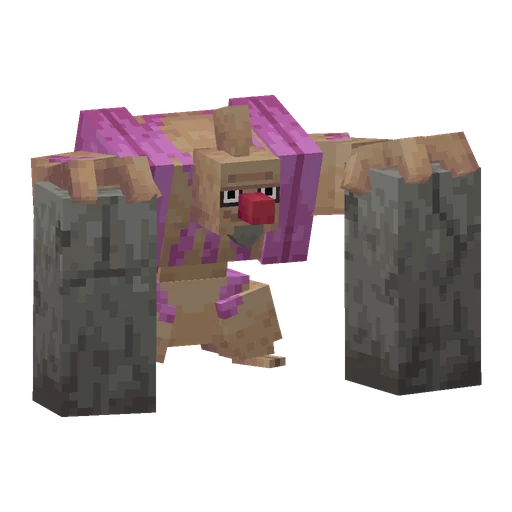
Instant Homes skip the building. Right-click a house blueprint where you want to live, and a crew of 3 Timburr led by a Conkeldurr builds the whole house in about 10 seconds, with its own claimed lot.
- Your free home: every player gets one Trailhead Cabin, in spruce, birch, oak or cherry, with a bed, crafting table, furnace and barrel. New players find the blueprint in their starter kit; everyone else claims it once from
/house. - Homes to buy with money, from the
/housecatalogue or the Builders' Shop in/shop: Riverside Bungalow ($15,000), Desert Adobe and Snowpeak Chalet ($25,000 each), Cliffside Secret Base ($30,000) and Mushroom Hollow ($40,000). Each rank has its own home design too.
- Right-click the blueprint. An outline of the house follows your crosshair: green where it fits, red where it doesn't, with a label saying why.
- Sneak and scroll (or press F) to turn it. Sneak and right-click to pick another wood on homes that come in more than one.
- Right-click a good spot, then click [Build] in chat within 30 seconds.
Where you can build: in the overworld, at least 500 blocks from spawn, on fairly flat, dry, natural ground (at most 4 blocks of foundation or digging) and at least 5 blocks from anyone else's claim. Trees, plants and snow are cleared for you. Secret bases go into a hillside instead.
- The house plus 3 blocks on each side becomes your claim. It's paid for with bonus claim blocks, so your own claim blocks aren't touched.
/house hometakes you to the door, and it doesn't use up one of your homes. Wrong spot? Click [Undo] within 5 minutes to get the ground and your blueprint back.- You can have 1 house standing at a time (some ranks can have more). The house's own blocks drop nothing when broken; blocks you add yourself work normally.
- Moving: empty every container, then use
/house packup <house>(or shift-click it in/house). The house folds back into its blueprint, and blocks you added come back in a moving box through/mail. You can pack up once every 3 days. Never abandon the lot's claim instead: the house is left as a ruin and you don't get the blueprint back.
How many homes can I set?
Homes are saved spots you can teleport back to whenever you like.
/sethomesaves the spot you're standing on as a home called "home"./sethome <name>saves one with its own name (up to 24 characters), and using a name again moves that home./hometakes you to your home called "home" (or to your only home), and/home <name>to any other./homesopens a menu with all of them./delhome <name>deletes one.- Without a rank you can have 3 homes. Ranks get more.
- Respawn at your base: sleep in a bed there. Without a bed, you respawn at spawn.
How do I get around?
Teleports on Cobblemon Conquest are instant: there's no countdown to wait through.
| Command | What it does |
|---|---|
/spawn | Takes you to spawn |
/back | Back to where you were before your last teleport, or to where you died |
/tpa <player> | Asks to teleport to a player |
/tpahere <player> | Asks a player to teleport to you |
/tpaccept, /tpdeny, /tpacancel | Accept or deny a request, or cancel your own (requests expire after 2 minutes) |
/tptoggle | Turns requests from other players on or off |
/tptrust <player> | Lets a friend's /tpa and /tpahere go through without asking (up to 21 friends) |
/rtp (or /wild) | A random spot in the overworld, 250 to 15,000 blocks from the centre |
/rtpworks once a minute, or every 10 seconds during your first 3 hours of play, so you can re-roll a bad landing while you look for somewhere to build. It skips oceans.- You can't teleport for 15 seconds after hitting or being hit by another player, or during a Pokémon battle.
How do I share my base with a player warp?
Player warps are public teleport points that anyone can visit, so they're the way to show off your base, shop or farm.
- Stand where visitors should arrive, use
/playerwarps createand type a name in chat. It's free, and everyone can have 1 warp. - Everyone finds it in
/playerwarps(or/pwarp), with the most visited warps first. - Open My Warps, then Edit Mode, to change your warp's name, description (colour codes work) or usage cost, or to delete it.
- If you set a usage cost, you get 80% of it every time someone uses your warp.
- Visitors arrive inside your claim but can only do what you've allowed. Put the warp by your door, and use
/trust public accessorif they should be able to open it.
How do I keep wild Pokémon away from my base?
Switch off the pokemon-spawning flag in /claimflag, and wild Pokémon stop spawning naturally inside that claim. Or place a repel: repels look like torches, keep working until someone breaks them (even through restarts) and give you the repel back when broken.
| Repel | Radius | What it stops |
|---|---|---|
| Basic Repel | 16 blocks | Every wild Pokémon and mob spawn |
| Super Repel | 32 blocks | Every wild Pokémon and mob spawn |
| Max Repel | 64 blocks | Every wild Pokémon and mob spawn |
| Type repels (one for each of the 18 types) | 24 blocks | Pokémon of that type |
| Pikachu Repel | 20 blocks | Pikachu |
- Basic, Super and Max Repels stop mobs spawning too, monsters included, so they keep a base safe at night. Sneak and right-click while holding a repel to see its radius and what it blocks.
- Repels are handed out as rewards, and the Event Shop (
/events shop) sells a random repel for 7,500 Event Points.
How do elevators work?
Elevators are blocks that carry you between floors without stairs or ladders.
- Craft one from 8 concrete (any colour) around an Ender Pearl. Craft an elevator with a dye to change its colour; the colour is only for looks.
- Place elevators above each other in the same column. Stand on one and jump to go up to the next, or sneak to go down.
- The next elevator has to be within 10 blocks above or below you, with room to stand on it. If it's blocked or has something dangerous on top, like fire or a cactus, you stay where you are.
- They don't work while you're riding, swimming, gliding or carrying someone, during a Pokémon battle, or for 10 seconds after a fight with another player.
How do I throw items away?
Don't drop junk on the floor. /rubbish (or /trash or /bin) opens a large chest called Rubbish: put in what you don't want, close it, and it's gone. Binned something by mistake? /rubbish recover shows what you threw away in the last 24 hours: click an item to get it back. After that, it's gone for good.
What happens when I die?
Keep inventory is on in the overworld, the Nether and the End. When you die you keep everything: your inventory, your armour and your XP levels. Nothing drops.
- You respawn in your bed if you've slept in one, otherwise at spawn.
/backtakes you straight back to where you died.
What are the rules for bases?
- No griefing or stealing. It's against the server rules everywhere, claimed or not. A claim is what actually stops it, so claim your base on the day you start building.
- Redstone clocks are fine, but not for AFK farming.
- Going AFK: after 30 minutes without moving you're marked AFK, and after another hour of being AFK you're moved to the lobby.
- PvP: inside a claim, the owner decides with the pvp flag. Hitting or being hit by another player blocks teleports for 15 seconds. Battles that can cost you a Pokémon only happen in Conquest, a separate hunting ground you enter on purpose.
/rulesshows the server rules in game.
Base commands
| Command | What it does |
|---|---|
/claim, /claimcreate <radius> | Claim without the shovel, or claim a square around you |
/claiminfo, /claimslist, /claiminspect | The claim you're in, all your claims, and claims within 100 blocks |
/trust, /containertrust, /accesstrust, /untrust | Trust a player in your claim, or take it away |
/claimflag, /abandonclaim, /trapped | Change what visitors can do, remove a claim, or get out of someone else's |
/playerinfo | Your claim blocks |
/house | Instant Homes: your blueprints, your houses and the catalogue |
/sethome, /home, /homes, /delhome | Your homes |
/playerwarps | Visit player warps or create your own |
/rubbish | Throw items away (/rubbish recover gets them back) |
FAQ
How many claim blocks do I start with? 2,000, and you earn 60 more for every hour you play, up to 800,000 earned. The Vote Crate and the Event Shop give extra.
Can I buy claim blocks? Not with money: /buyclaimblocks is switched off. You can get extra blocks from the Event Shop with Event Points, and as a Vote Crate prize.
Where do I get the claim shovel? It's a normal golden shovel. There's one in your starter kit, or craft one from a gold ingot and two sticks.
Can other players catch Pokémon in my claim? Yes. Anyone can catch a wild Pokémon that spawns in your claim. Switch off the pokemon-spawning flag or place a repel to stop them spawning there.
Do claims expire if I stop playing? No. Normal claims stay protected however long you're away. Only a first-chest claim that's still 9 x 9 expires, after 7 days away.
Does my Instant Home use my claim blocks? No. Its lot is claimed with bonus blocks, so your own claim blocks stay free.
How do I make my base PvP-free? Stand in your claim, open /claimflag and switch off pvp.